Studio online - media pool readyRender queue idle
Comparison

DaVinci Resolve online vs Final Cut Pro: browser or Mac-native

Final Cut Pro is a Mac-native editor with a magnetic timeline and a deep Apple ecosystem. The browser studio is a cross-platform post pipeline that opens in a tab. The useful comparison is not which one has more features, but which constraints fit the next job.

View pricing
  • Final Cut is Mac only; the browser studio is not
  • Final Cut is fast on Apple hardware; the studio needs no install
  • Both can cut; the browser adds a shared finishing pipeline
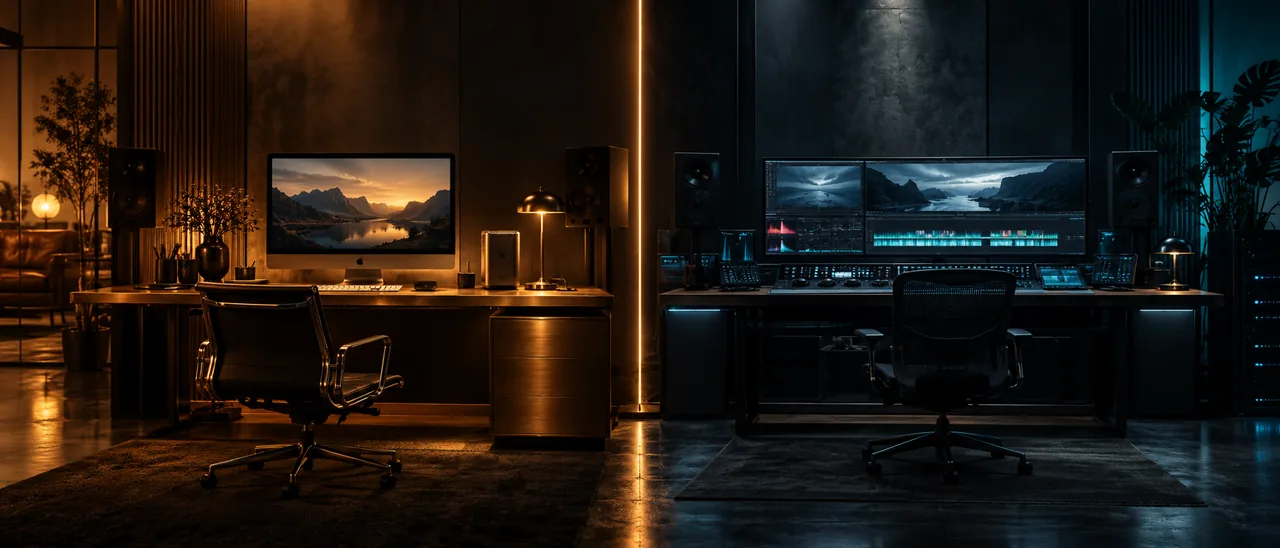
Two dark editing suites separated by a seam of amber light, one warm metal and one cool graphite
Final Cut strength

Where Final Cut Pro feels native and fast

On a current Mac, Final Cut is tuned to the hardware and the media stack. The magnetic timeline makes assembly feel quick, ProRes is at home, and editors who have built their habits around Apple’s ecosystem can move without thinking about the browser. That is a real advantage, not a feature list talking point.

  • Mac-native performance and ProRes workflows
  • Magnetic timeline and connected clips for fast assembly
  • A mature ecosystem of plugins, Motion templates and Apple hardware
  • A good fit for Mac-only teams with an established Final Cut library
Browser strength

Where a browser studio removes the setup tax

The browser route does not care whether the machine is a Mac, a Windows laptop, a Linux workstation or a Chromebook. There is no install, no licence server and no project drive to hand over. A reviewer can open the same project from another machine and the edit, colour and audio work are already in the same place.

  • No install or admin rights on a locked-down machine
  • Same project across Mac, Windows, Linux and ChromeOS
  • Shared review and handoff without shipping drives
  • One project covers colour, Fusion, Fairlight and delivery
Finishing

The finishing question: one project or several applications

Final Cut can finish a lot of work, but colour, effects and audio often pull in Motion, Logic or third party tools. The browser studio keeps those pages inside the same timeline. That reduces handoffs, while Final Cut still wins when the job depends on Apple-only formats, hardware or an existing plugin chain.

  • Node based colour, Fusion and Fairlight are included in the studio project
  • Final Cut has a stronger Apple-only hardware and ProRes path
  • Check the delivery codec list before choosing either side
  • For XML interchange with other suites, plan the round trip before the edit
Choose

Pick by the team and the job, not the logo

A one editor Mac studio with an established Final Cut library should not move for the sake of it. A mixed team, a locked-down office laptop, a classroom or a project that needs colour, sound and review in one place gets more from the browser route. Both answers are legitimate; the wrong answer is maintaining two pipelines by accident.

  • Final Cut for a Mac-only, offline, Apple-format workflow
  • Browser studio for mixed hardware and shared review
  • Browser studio for a fast start without installs or licence servers
  • Desktop Resolve for the jobs that need a local install and hardware panels
At a glance

The two routes at a glance

A quick comparison before you choose a workflow.

PlatformFinal Cut: macOS. Browser studio: Chrome or Edge
InstallFinal Cut: local application. Browser: none
TimelineMagnetic timeline vs multi-track post timeline
FinishingApple ecosystem vs colour, Fusion and Fairlight in one project
CollaborationProject files and Apple workflows vs shared browser projects
Best fitMac-only library vs mixed machines and quick handoff
Help

Frequently asked questions

Comparison questions that come up before a first render.

Can the browser studio replace Final Cut Pro?

For many edits, yes: it covers the timeline, colour, compositing, audio and delivery. It is not a drop-in replacement for a Mac-only library, Apple hardware workflows or jobs that depend on Final Cut specific interchange. Choose by the constraint, not the feature count.

Is Final Cut Pro faster than a browser editor?

On a current Mac with local media, Final Cut has a native performance advantage. The browser studio trades some of that for no install, cross-platform access and a shared project. Proxies and hardware acceleration close part of the gap.

Can I move a Final Cut project into the browser studio?

The browser studio is a finishing environment, not a universal project interchange hub. If the job depends on Final Cut XML or an Apple-only round trip, keep that step in the desktop route and plan the handoff explicitly.

Which one is better for YouTube and social edits?

Both can cut a YouTube video. The browser studio has presets for YouTube, vertical video and platform delivery in the same project, which helps when one edit has to become several versions.

Does the browser studio need a Mac?

No. It runs in a current Chromium browser on Windows, macOS, Linux and ChromeOS. That cross-platform access is the main reason a mixed team chooses it over a Mac-only application.

What about colour and audio depth?

The browser studio includes node based colour, Fusion composites and a Fairlight style audio page. Final Cut can finish a lot of work too, but colour and audio often involve additional Apple applications or third party tools.

Keep reading

Where this fits in the workflow

The studio is one project with several pages. These are the pages that usually come before and after this one.

Ready when you are

Try the browser side on the next cut

Open the studio on the machine in front of you, bring one sequence and compare the handoff for yourself.

Compare with Premiere
  • No install, no licence server
  • Google sign in, projects in the cloud
  • Cancel anytime
DaVinci Resolve vs Final Cut Pro | Browser Editing Compared