Studio online - media pool readyRender queue idle
Online vs desktop

DaVinci Resolve online and the desktop app: which one fits the job

Both routes open the same kind of project and keep the same shortcuts, so the choice is less about ability and more about the room you are in: a managed laptop, a borrowed machine, or a dedicated suite with a calibrated monitor.

View pricing
  • Identical project structure on both sides
  • Browser needs nothing installed or updated
  • Desktop still owns offline and capture hardware work
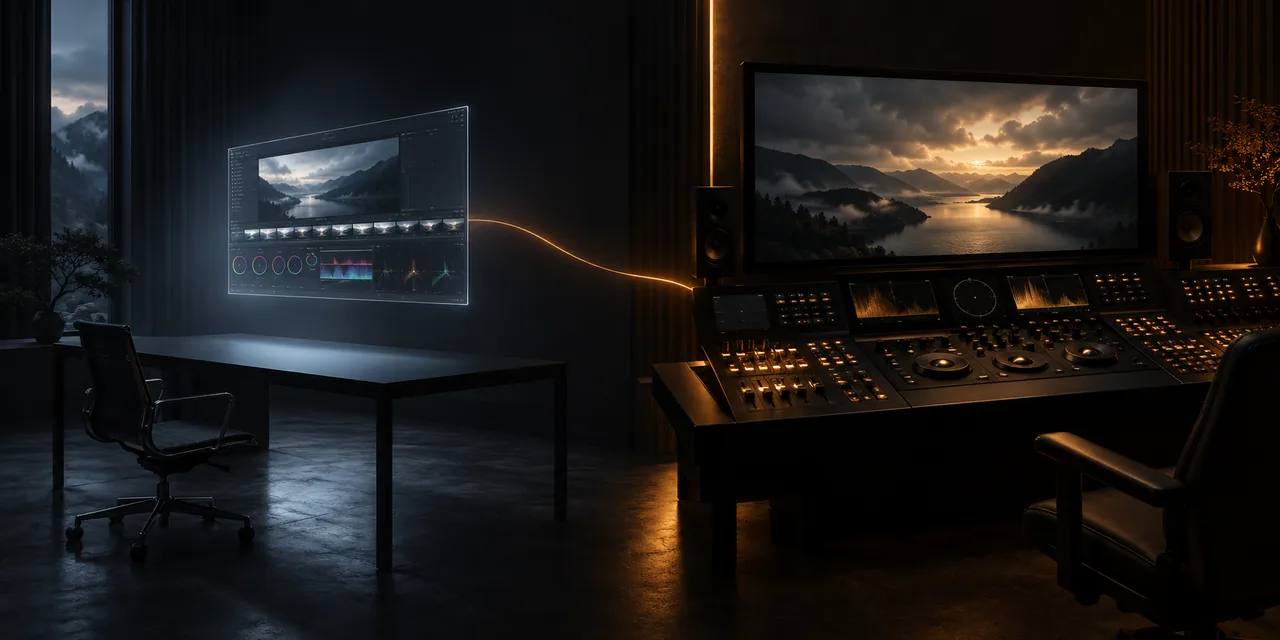
A browser window and a hardware editing console side by side in a dark room
Shared ground

The same project, timeline and shortcuts

A project carries its media pool, timeline, markers, grades and mixes as data, so a cut started in the browser opens on the desktop studio and back without a translation step. Keyboard muscle memory moves with it: the same keys trim, ripple and navigate.

  • Projects move between the browser and the desktop app
  • The same editing shortcuts on both sides
  • Grades, Fusion comps and audio mixes travel with the project
Where the browser wins

Nothing to install, nothing to update, any machine

The studio opens in Chrome on whatever machine is in front of you, which matters on managed work laptops, borrowed machines and classrooms where installers are blocked. Updates arrive in the tab, not in a patch queue.

  • Opens in Chrome or Edge with no installer
  • No driver or update maintenance to schedule
  • Proxy playback keeps a modest laptop responsive
  • Projects live with the account, not on one machine
Where the desktop wins

Offline work, capture hardware and suite finishing

An installed system on a fast machine still has the edge in a few places: working with no network at all, feeding capture cards and control surfaces directly, and moving very large media without an upload step.

  • Works fully offline and on set
  • Direct access to capture cards, panels and fast local storage
  • The first choice for primary grading on a calibrated display
  • Heavy effects processing without round trips
Choosing

Pick per job, not per person

Most teams end up using both: the browser for assembly, reviews and travel days, the desktop for final sound and grade passes in the suite. Because the project is the same either way, the choice can be made per job instead of committed to once.

  • Browser: assembly, reviews, remote days and quick turnarounds
  • Desktop: calibrated grading, capture and offline-heavy finishing
  • Hand a project over in either direction without a rebuild
Help

Frequently asked questions

Online vs desktop questions that come up before a first render.

Can I start a project in the browser and finish on the desktop app?

Yes. The project keeps its media pool, timeline, markers, grades and audio mixes in a form both sides read, so you can move between machines at any stage without an export or rebuild.

Does the browser use the same keyboard shortcuts?

The core editing keys follow the same defaults, so trim, ripple, marker and navigation muscle memory carries over. The shortcuts page has the list worth learning first.

Do I need special hardware for the browser route?

No. Any recent Chrome or Edge with a stable connection runs a timeline, and proxy modes keep heavier footage playable. The system requirements page lists what each workflow expects.

Why not just install the free desktop version?

You can, and many people do. The browser route is for machines where installers are blocked, for assembly and review away from the suite, and for teams that would rather not maintain installs on every seat.

Keep reading

Where this fits in the workflow

The studio is one project with several pages. These are the pages that usually come before and after this one.

Ready when you are

Try the browser side yourself

Open the studio in a tab and load a project; the desktop habits you already have will do the rest.

See system requirements
  • No install, no licence server
  • Google sign in, projects in the cloud
  • Cancel anytime
DaVinci Resolve Online vs Desktop App | Browser or Install