Studio online - media pool readyRender queue idle
vs Premiere Pro

DaVinci Resolve online vs Adobe Premiere Pro: where each one fits

Both are non linear editors with the same core grammar, so the choice is rarely about cutting itself. It is about the ecosystem around the timeline: the installs, the subscription, the round trips and the deliverables the job actually demands.

View pricing
  • Nothing to install and no Adobe subscription to start
  • Node based colour and Fairlight audio are part of the studio
  • Premiere still anchors Adobe to Adobe pipelines
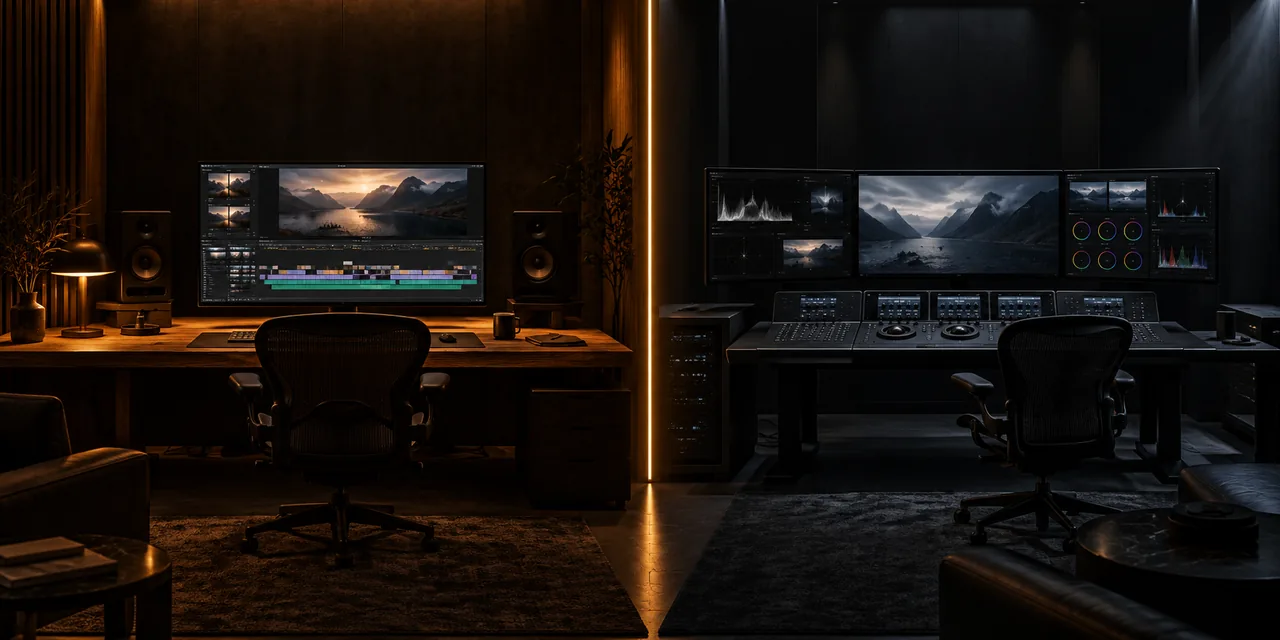
Two editing suites side by side in a dark room, warm wood on one side and graphite on the other, divided by a thin seam of amber light
Shared ground

The same timeline grammar on both sides

Both tools cut the same way: bins of media, a three point edit, ripple and roll to refine, an export at the end. Anything you have learned about pacing a cut, syncing sound or covering a scene transfers without a re-learning step.

  • Three point editing with ripple, roll and slip trims
  • Bins, markers, sequence versions and an export stage at the end
  • Keyboard driven cutting, with muscle memory that carries across
Where the browser studio wins

No install, no subscription, any locked down laptop

The studio opens in Chrome on whatever machine is in front of you. On managed work laptops where installers are blocked, on a borrowed office desktop or in a classroom, the first session is a sign in rather than a purchase order.

  • Opens on Windows, macOS and ChromeOS with nothing installed
  • Plans start at $9 per month instead of a per seat Adobe subscription
  • Node colour, scopes and a Fairlight audio page are built in
  • Projects travel with the account instead of a workstation
Where Premiere wins

The Adobe ecosystem still owns some rooms

If the work moves back and forth into After Effects or Photoshop, or the client mandates .prproj and Frame.io reviews, Premiere remains the centre of that galaxy. Its plugin market and broadcast proven toolchain are decades deep.

  • Dynamic Link round trips to After Effects and Photoshop
  • Agencies and broadcasters that mandate .prproj delivery
  • The largest third party plugin market in editing
  • Frame.io review integrated into the Adobe account
Choosing

Pick per job, not per camp

Most teams end up using both, and that is fine: the browser for assembly, review passes, travel days and classrooms, the Adobe suite where motion graphics and mandated deliverables live. Decide per project, not per career.

  • Browser: assembly, reviews, classrooms and quick turnarounds
  • Premiere: After Effects heavy graphics and Adobe locked pipelines
  • Start where the friction is lowest and move only if the job demands it
At a glance

The two setups at a glance

The short version, before any project files get involved.

InstallBrowser: nothing. Premiere: app, drivers and updates on every machine
PlatformsBrowser: Chrome or Edge on Windows, macOS and ChromeOS. Premiere: Windows and macOS
Cost modelStudio plans from $9 per month. Premiere: Adobe subscription per seat
ColourNode based grading with scopes in the studio. Premiere: Lumetri inside the edit app
AudioFairlight page with 32-bit float. Premiere: Essential Sound and Audition hand offs
CollaborationShared pools and versions on Studio. Premiere: Team Projects and Frame.io
ProjectsKept with the account, open on any machine. Premiere: .prproj files on disk
Help

Frequently asked questions

vs Premiere Pro questions that come up before a first render.

Can I open Premiere projects in the browser studio?

Not directly; the two keep projects in different formats. The studio stores projects with your account and Premiere keeps .prproj files on disk. Treat them as separate homes and pick a tool per project instead of expecting a conversion.

Is the browser studio good enough for client work?

For editing, colour, audio and delivery, yes: teams use it for review passes and full cuts. Work that must leave as Adobe specific files, or that leans on After Effects graphics, is still happiest in the Adobe suite.

Which one should a beginner learn first?

The one that runs on their machine today. The timeline grammar is shared, and this studio needs no install or GPU budget, so the first hundred hours of practice go further before any software decision is locked in.

Do I need a workstation either way?

The browser route asks far less: any recent laptop with hardware acceleration and a stable connection runs the studio, and proxies cover heavy footage. Premiere on the same machine wants more headroom for the same codecs.

Ready when you are

Try the browser side on your next cut

Open the studio, drop a clip in and see how far a browser tab gets you before an installer would have finished.

  • No install, no licence server
  • Google sign in, projects in the cloud
  • Cancel anytime
DaVinci Resolve vs Premiere Pro | Browser or Adobe Editing